Always-on AI agents: what OpenAI Dots actually changes
Always-on AI agents can carry work between conversations. Learn what OpenAI Dots changes, where agent computers help, and how to run a useful pilot.
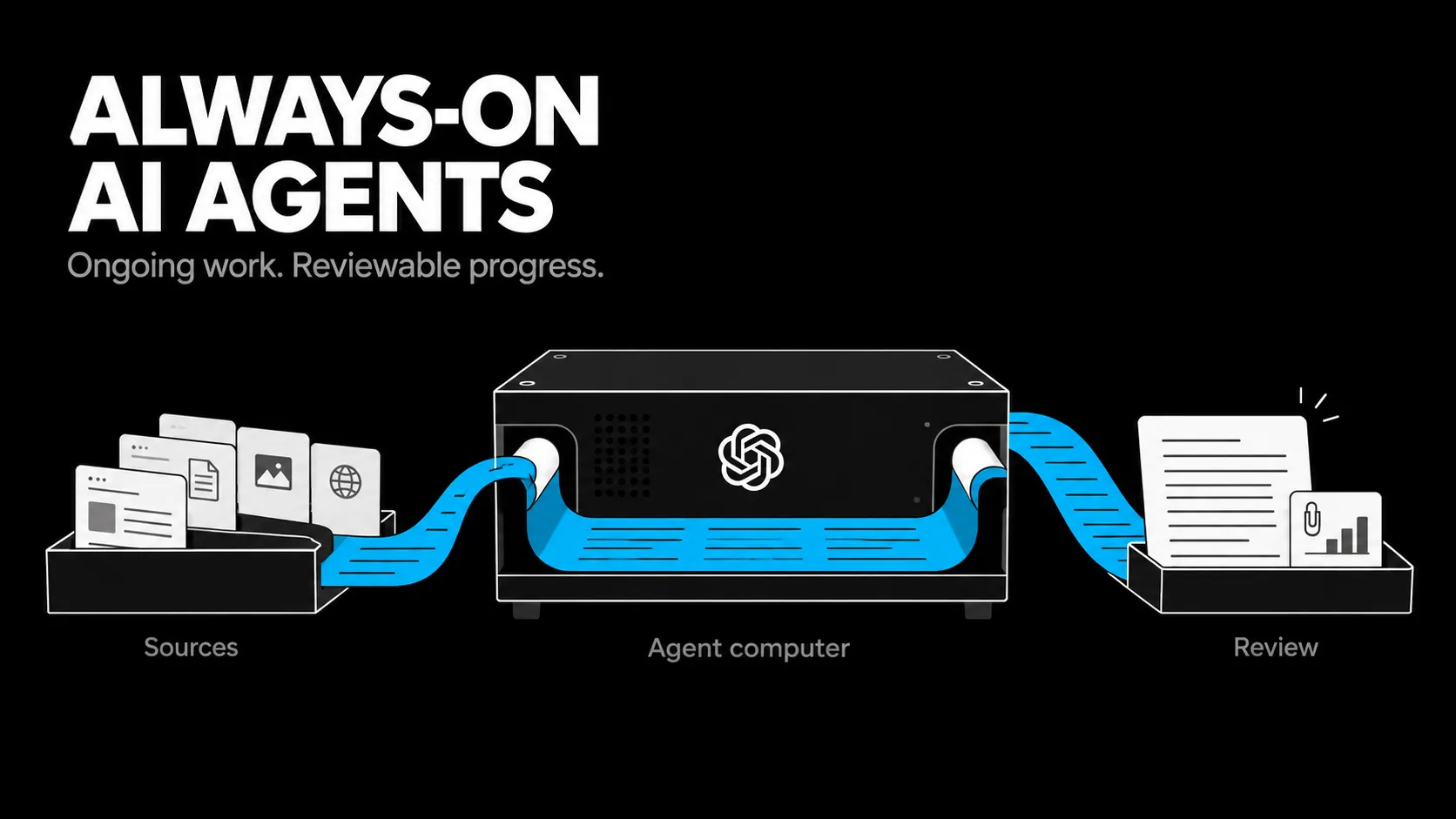
An AI agent that works overnight can still leave you with more work in the morning.
Always-on AI agents can pursue a goal between conversations, using persistent context and connected tools. OpenAI Dots adds a dedicated cloud computer to that model. The opportunity is to hand over a recurring responsibility and return to useful progress. The test is whether reviewing that progress takes less effort than doing the work yourself.
My view here comes from building automation pipelines with limited time for review. I haven’t measured a production Dots rollout, so the workflow recommendations below are the designs I would test first.
What are OpenAI Dots?
OpenAI Dots are always-on agents in ChatGPT, launched on September 29, 2026. Powered by GPT-6 Astra, each dot has its own cloud computer and can use connected apps to work toward ongoing goals. OpenAI describes the intended experience as agents that can “work towards your goals 24/7.” OpenAI’s launch announcement.
The useful shift is continuity. You can give an agent a project, supply context, and come back to work that has advanced between conversations.
For a founder, that could mean maintaining a research brief as evidence changes. For a developer, it could mean preparing a scoped fix for review.
Why does an AI agent need its own computer?
An agent computer supplies an execution environment: a browser, files, and tools the agent can use to carry out work. A model can propose a plan; the environment lets it inspect inputs, produce artifacts, and check results. Its usefulness still depends on which systems it can actually access.
The distinction gets concrete when the deliverable spans tools. Preparing a report may require opening a source, analyzing a spreadsheet, writing a document, and checking that its figures match the data.
Cloud and local access are separate. A dot’s cloud computer does not inherit your laptop’s browser sign-ins or VPN. OpenAI’s workspace documentation makes that explicit.
Optional local access adds another dependency: the connected computer must stay online with the ChatGPT app open. OpenAI’s setup guide.
Does always-on mean it can act without approval?
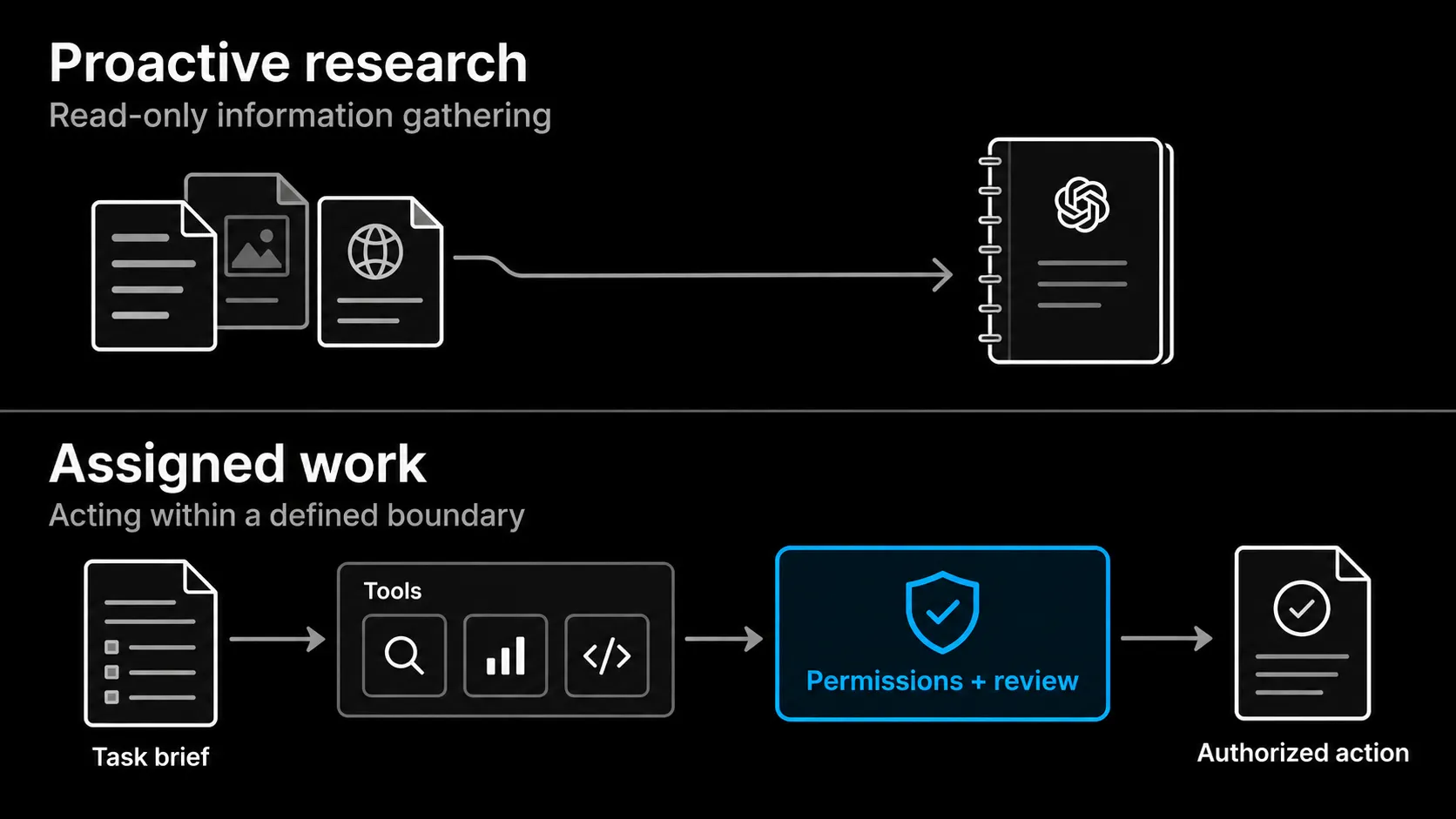
Always-on describes availability and continuity. It does not grant unlimited authority. OpenAI separates proactive research from actions: background research uses read-only tools and cannot directly send messages, change connected app content, or control a browser or desktop. Any follow-up action goes through the usual rules and checks. OpenAI’s safety explanation.
That boundary is useful. An agent might notice something worth investigating without having permission to commit the business to a response.
OpenAI also provides Custom Rules and a separate Auto-review system for actions such as changing files or sending emails. Those controls work within built-in safeguards. They reduce risk; they do not prove every allowed action is commercially sensible. Dots action controls.
For my own workflows, I would distinguish preparing a proposal from committing to its price and scope. The agent can do substantial work before that decision. I still need to own the commitment.
Where would always-on agents be useful in a business?
I would test always-on agents on recurring work where information changes and someone must interpret what changed. Preparation, investigation, and maintenance are good starting points because their outputs can be inspected before they affect a customer. The value comes from returning to a decision that is easier to make.
Three workflows fit that shape:
- Sales preparation: assemble account context, unresolved requirements, and questions before a call. Flag gaps in the evidence so the founder can spend the call resolving them.
- Development follow-through: investigate a reported bug, propose a small fix, and return the diff with relevant test results. Give the reviewer enough context to judge the change.
- Content maintenance: check an existing article against newer sources, identify outdated claims, and prepare edits with citations attached.
These are proposed workflows, not results I have measured with Dots.
I would judge each by the human work remaining. A sales brief that needs a full fact-check from scratch has failed its purpose, even if it arrived before breakfast.
When is ordinary automation still the better choice?
Use ordinary automation when the process has a known sequence and predictable branches. Use an agent where the next useful step requires interpreting the previous result. Running continuously does not change that distinction. A scheduled workflow can already operate overnight without needing a model to choose its path.
| Work | My starting choice | Reason |
|---|---|---|
| Copy form submissions into a CRM | Fixed automation | Known fields and destinations |
| Alert when an invoice passes its due date | Scheduled check | Explicit rule |
| Investigate why a lead’s requirements changed | Agent | Interpretation across sources |
| Prepare revisions to a technical proposal | Agent with review | Context and judgment |
In my own automation work, I most often keep the outer workflow fixed and put a model inside the steps that require judgment. I explain that choice in AI agent vs automation.
What would I delegate to a dot first?
I would start with one recurring responsibility, one inspectable output, and a clear decision boundary. That gives me a way to measure whether the agent reduces coordination work. Broad instructions such as “handle operations” make success hard to define and failures hard to trace.
My first pilot would be a weekly pipeline review. The operating brief would look like this:
| Field | Instruction |
|---|---|
| Outcome | Prepare a brief of deals needing a founder decision |
| Sources | Approved CRM records and relevant account notes |
| Judgment | Identify stalled deals, conflicting requirements, and missing next steps |
| Output | Link each finding to its source and draft a proposed next action |
| Boundary | Ask before contacting prospects or changing commercial commitments |
| Escalation | Flag missing or conflicting data; do not fill it with guesses |
This would move preparation off my plate while keeping closing decisions visible.
The same approach applies to the supervised agent workflows I have written about: define the work clearly enough that the result can be reviewed without reconstructing the entire task.
How do you tell whether an always-on agent is working?
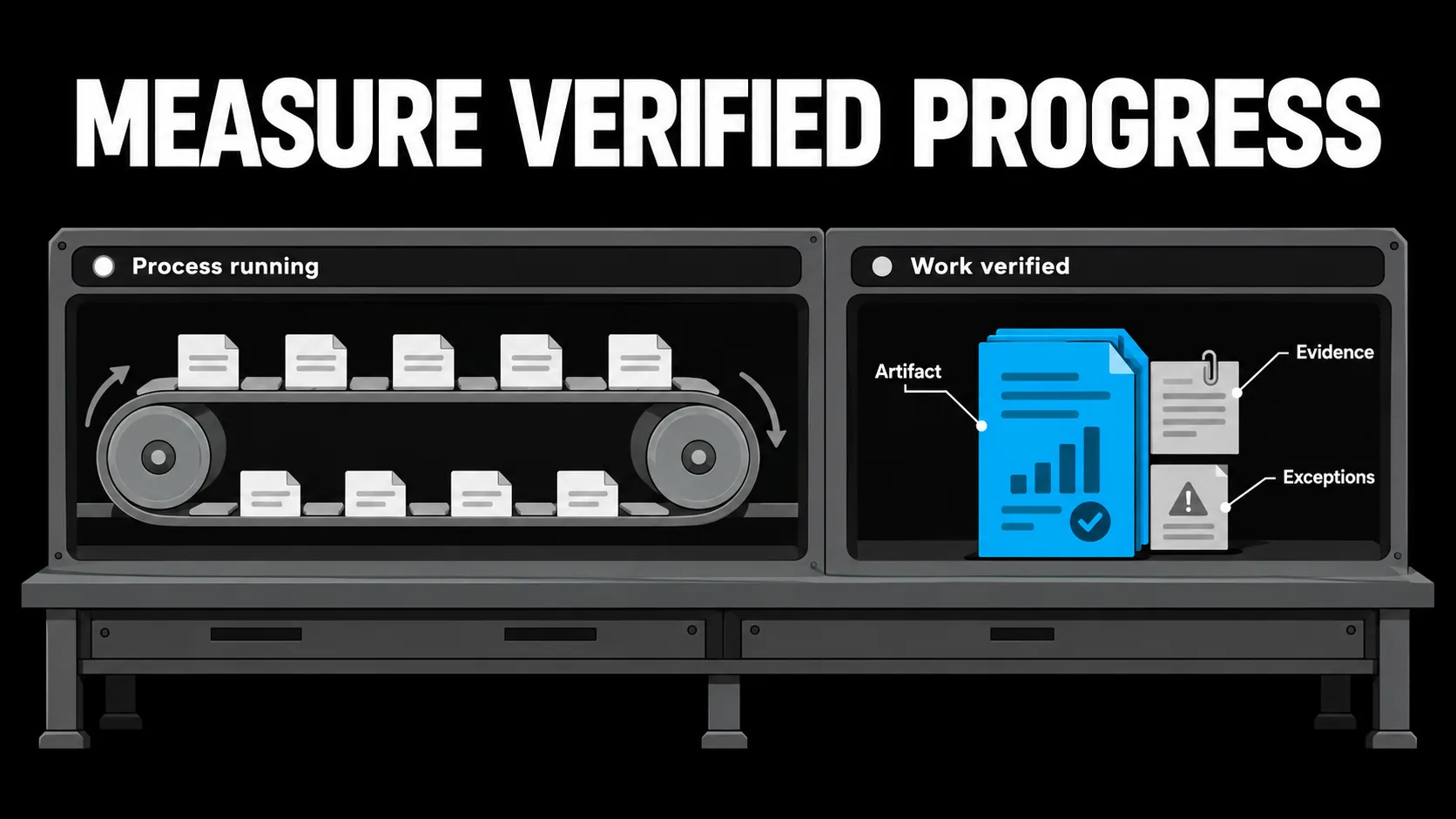
Measure verified progress toward the assigned outcome. An active process, a completed status, or a confident summary tells you little about whether the underlying work happened. Require an artifact, evidence for its claims, and a clear account of anything the agent could not complete.
I learned that distinction with my own agent evaluation harness. It kept recording failures while trying to launch a binary that no longer existed. The surrounding process ran; the agent invocation did not.
That is the computer-science distinction between liveness and correctness. A system can keep running while producing no valid result.
For an always-on pilot, I would track accepted outputs, correction time, unnecessary interruptions, and actions taken outside the brief. I would also test whether it reports a blocked run honestly.
The cheapest failure to catch is “couldn’t access the source.” The expensive version is a polished brief that quietly invents what the missing source might have said.
Is OpenAI Dots ready for a small-team pilot?
As of October 10, 2026, Dots is rolling out to Pro users in eligible markets and Business Premium users across supported regions. Enterprise access is a beta that an administrator must enable. Access remains gradual. OpenAI’s current availability guide.
The first dot is included in Pro and Business Premium, but deeper work has an allowance. Continuous availability does not mean unlimited task execution. Dots plan details.
My recommendation is a narrow pilot if you already have a recurring task, accessible source material, and someone accountable for reviewing the result.
I would change that recommendation if review consumes the time the agent was meant to save. That is a failed pilot even when the model is capable.
Keep the budget visible, include correction time, and compare the result with the existing process.
Frequently asked questions
Can OpenAI Dots work while my laptop is off?
Dots has its own cloud computer. Work that requires a connected local computer needs that device online with the ChatGPT app open. Design the task around the environment it will actually use. Computer access details.
Is an agent computer the same as an AI model?
No. The model interprets information and chooses actions. The agent computer is the environment where tools run and files are created. Permissions determine which connected systems those actions can reach.
Can a dot send emails or change business records?
Email and business-record changes depend on connected tools, permissions, authorization, and applicable checks. Proactive research itself cannot make those changes. Define the boundary for each workflow instead of assuming that connecting an app authorizes every action. Dots permissions and action rules.
Will always-on agents replace n8n or Make workflows?
I expect them to complement fixed workflows. Keep predictable steps in automation and give agents the work that requires interpretation. A more capable agent still needs a reason to choose a path that could have been written in advance.
Give the agent a responsibility you can inspect
The change I find promising is being able to return to useful work without managing every intermediate step. That could matter more to a small team than generating another hundred drafts.
Start with one task you repeatedly postpone. Write down the sources, expected result, decision boundary, and proof of completion. Then run a pilot and count the work left for you.
An always-on agent earns its place when that workload gets smaller.
Newsletter
New notes, in your inbox.
Get each new article from the workbench by email. No spam, unsubscribe anytime.
Related reading
Continue through the system.
-
88 Skills, 194 Decisions Logged, One AI System That Actually Runs My Business
I stopped chatting with AI and built it an operating system: 88 skills, a second brain, and 194 logged decisions.
Read article → -
Claude Opus 5.5: What Creators Are Making
Claude Opus 5.5 is helping creators build games, videos, and interactive projects. Here is what changed, what examples show, and where review matters.
Read article → -
Gemini RSI Leak: What the Evidence Actually Proves
Gemini RSI leak claims are outrunning the evidence. See what Google has confirmed about recursive improvement, RRSI, and AlphaEvolve.
Read article →