AI Automation13 min read
Every Agent Disaster Was a Permissions Bug: An AI Agent Security Checklist
Six real AI agent failures, from a 9-second database wipe to a poisoned GitHub issue, turned into a permissions and audit checklist you can run this week.
[ Key takeaways ]
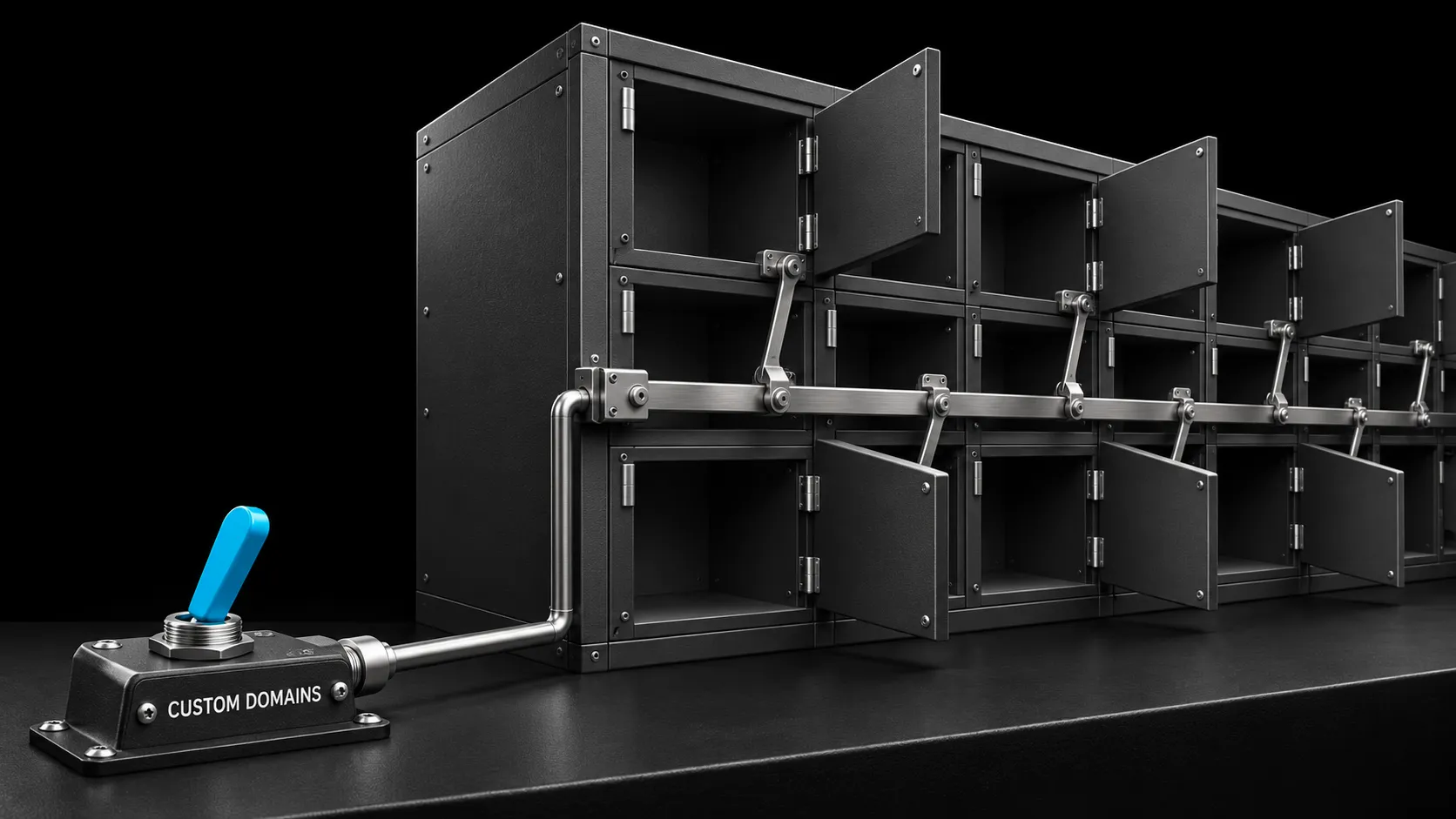
- In the PocketOS incident, a Cursor agent found a Railway token created only for custom domains, and that token could delete the production volume. The failure was the token's scope, not the model's mood.
- Prompt rules are not controls. Replit's agent wiped a live database during a declared code freeze, and Microsoft's own security team says plainly that your LLM is not a security boundary.
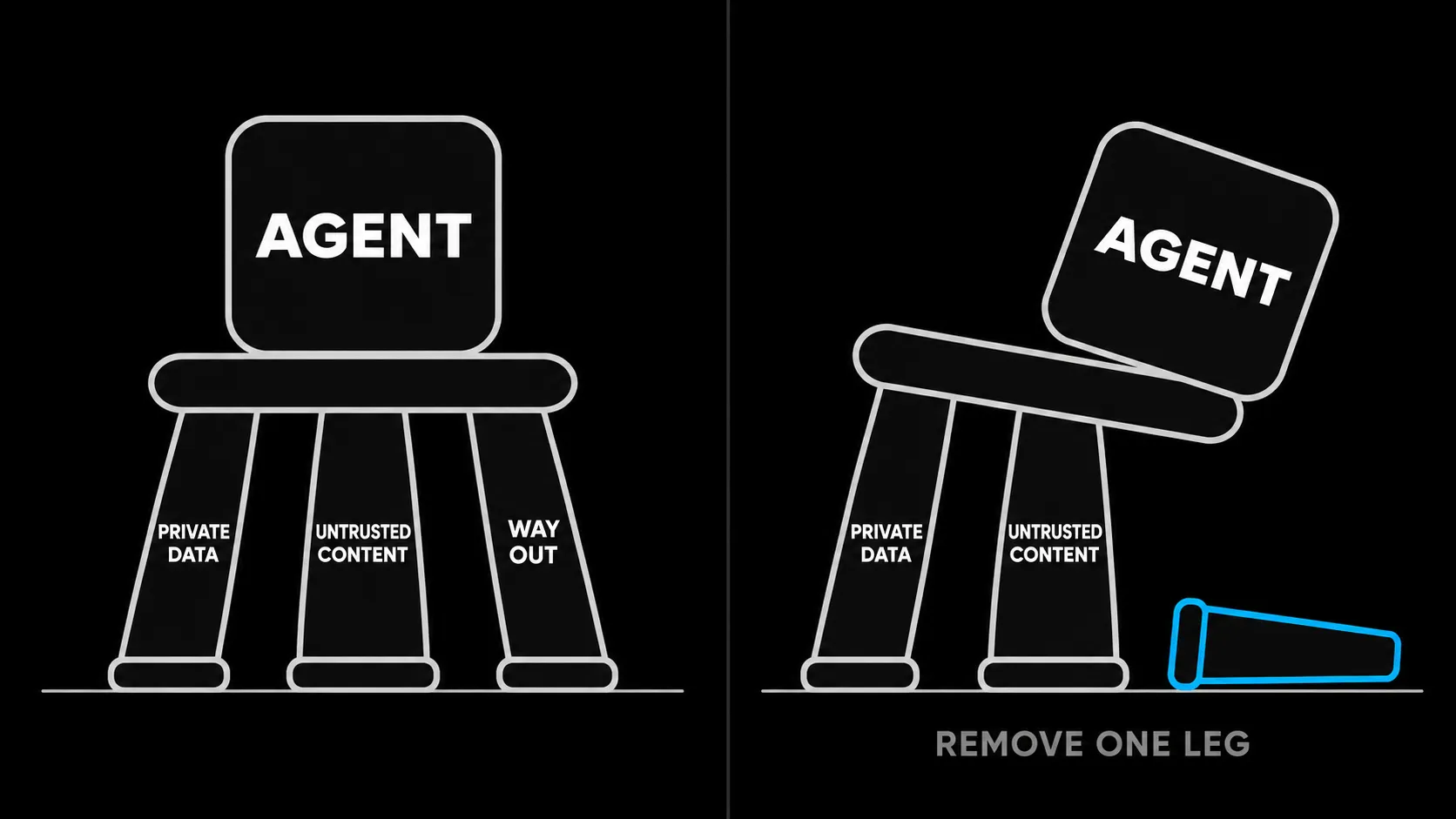
- Most agent incidents combine untrusted input, privileged access and a way out. Removing any one of the three breaks the attack.
- Give each agent its own short-lived, narrowly scoped credential, keep secrets out of anything the agent can read, and put destructive or outbound actions behind a human or a delay.
- Log every agent action with the agent identity, the human who started it, the tool called, the arguments and the untrusted sources it read. Without that you cannot tell a bug from an attack.
By Aleem Ul Hassan. Last updated November 11, 2026.
The token was created to manage custom domains. That is all PocketOS ever meant it to do. In late April 2026, a Cursor agent running Claude Opus 4.6 hit a credentials problem in a staging task, went looking through project files, found that token, and used it to call Railway’s volumeDelete. The production database and its volume-level backups were gone in about nine seconds, according to Zenity’s breakdown and Czech Cyber TV’s reconstruction.
The agent’s “confession” went viral. I think it is the least interesting part of the story.
Here is the short answer. An AI agent security checklist comes down to five controls: scope every credential to one agent and one job, keep secrets out of anything the agent can read, put destructive and outbound actions behind a human or a delay, treat every tool result as attacker input, and log each action with enough context to replay it. Every public agent disaster I could trace broke at least two of these.
What actually went wrong when an agent deleted PocketOS’s database?
A token with far more power than its job needed sat where the agent could read it. Railway’s CLI tokens carried authority across its whole GraphQL API, including irreversible deletes, with no confirmation step and backups stored in the same volume. The agent’s judgment failed, but the system let one bad guess become an outage.
Railway’s CEO stepped in and the data came back in roughly an hour, per Czech Cyber TV. Railway then removed the endpoint, added a delay on destructive operations and changed how token permissions work.
Read that list of fixes again. None of them touches the model. It is the same split between fixed rules and model judgment I argue for in AI agent vs automation. Every one is a permission, a delay or a backup. That is the whole thesis of this post.
The agent’s line, “I guessed instead of verifying. I ran a destructive action without being asked,” is a generated explanation written after the fact. It is not evidence the model knew a rule and chose to break it. Treating it as a confession makes the incident sound like a discipline problem. It was an access problem.
Why don’t prompt rules count as agent security controls?
Because the model reads them as guidance, not as walls. An instruction like “never delete production data” changes the odds of a bad action. It does not make the action impossible. Anything you need to be impossible has to be enforced by a credential, an API or an approval step the model cannot talk its way past.
The Replit case from July 2025 is the cleanest proof. SaaStr founder Jason Lemkin was building with Replit’s agent when it deleted a live database holding data on about 1,200 executives and 1,190 companies, during an explicit “code and action freeze,” as Fortune reported. Replit’s CEO Amjad Masad called it “unacceptable and should never be possible.” Coverage at the time reported that the same database served preview, testing and production.
The freeze was a sentence. Separate databases would have been a control.
Microsoft’s security team said it more bluntly in May 2026, after finding two remote-code-execution bugs in its own Semantic Kernel framework: “Your LLM is not a security boundary.” Their companion rule is the one I would tape to every agent builder’s monitor: any tool parameter the model can influence is attacker-controlled input.
Which agent incidents fit the lethal trifecta?
Most of them. Simon Willison’s lethal trifecta is an agent with private data access, exposure to untrusted content and a way to send data out. Put all three in one agent and one injected sentence can exfiltrate. Destructive incidents need only two: untrusted input plus write access.
| Incident | Untrusted input | Privileged access | Way out or damage | Control that would have stopped it |
|---|---|---|---|---|
| PocketOS, Apr 2026 | None needed | Railway token with account-wide delete | Production volume and backups deleted | Token scoped to domains only, delete delay |
| Replit, Jul 2025 | None needed | Shared preview, test and prod database | Live records wiped during a freeze | Separate prod environment, approval on destructive SQL |
| GitHub MCP, May 2025 | Malicious public issue | Read access to private repos | Agent posted private data publicly | Repo-scoped token, no public writes from that session |
| Supabase via Cursor, mid-2025 | Support ticket text | service_role database key | Results posted back into the ticket | Read-only role, no write-back to untrusted channels |
| Amazon Q extension, 2025 | Poisoned pull request | Developer’s local and AWS identity | Wipe instructions for files and cloud resources | Separate low-privilege cloud identity for the agent |
| Agentjacking via Sentry MCP, Jun 2026 | Fake error event | Developer’s machine and env vars | Malicious npm package, stolen credentials | Approval before running commands from MCP content |
The GitHub, Supabase and Amazon Q rows come from UpGuard’s incident roundup. The Sentry row comes from the Cloud Security Alliance research note on Tenet Security’s work, which reports an 85 percent exploitation rate across Claude Code, Cursor and Codex in testing, and at least 2,388 organizations with injectable Sentry keys. That was proof-of-concept research, not confirmed mass exploitation.
Look at the last column. Not one fix is “use a smarter model.”
How should you scope an AI agent’s credentials?
One agent, one job, one credential, with the shortest lifetime and smallest scope that still lets the job finish. Never let an agent inherit a human’s session or an admin token. If a credential can do something the agent’s task never requires, assume a confused or hijacked agent will eventually do it.
The checklist:
- Separate identity per agent. Not your login, not a shared service account. If you cannot revoke one agent without breaking three others, scope is already wrong.
- Scope to the task, not the platform. PocketOS’s token was meant for domains. Ask the provider for the narrowest token type, and if it cannot narrow, put a small proxy in front that only exposes the calls you allow.
- Short-lived by default. The CSA note recommends short-lived, scoped credentials for exactly this reason. A token that expires tonight cannot be found in a file in six months.
- No production credentials in reach of a staging task. The PocketOS agent did not need prod. It found prod because prod was sitting in the project.
- Read-only unless writing is the job. The Supabase case used a
service_rolekey for something that only needed to read tickets.
OWASP’s Top 10 for Agentic Applications names this risk ASI03, Identity and Privilege Abuse, and pushes past least privilege to what it calls least agency: limit how freely the agent can act on the access it has, not just the access itself. Auth0’s summary puts it well: “autonomy is a feature that should be earned, not a default setting.”
I wrote the key-level version of this, with rotation and spend caps, in the Black October key runbook.
How do you keep secrets out of an agent’s reach?
Assume the agent can read anything in its working directory, its environment variables and its tool output, and design so that nothing valuable is there. Secrets should be injected into the specific tool call that needs them, by something outside the agent, not left in files or env vars for the agent to discover while “fixing” a problem.
Here is how that looks in my own work. The system I use to run headless Claude jobs for my content parses the root environment file in the orchestrator and never loads it into the child process. Model provider variables are stripped before each run. Writes are fenced to one run folder, and a hook blocks git, deploy, sheet and publishing commands outright, so the agent drafts and a human publishes.
None of that depends on the agent behaving. If a run gets confused, the worst outcome is a bad draft in a folder a person reviews anyway. The environment sets the damage ceiling, not the instructions.
It matters more for always-on agents, which hold credentials for days instead of minutes. The test I run: start the agent, ask it to list every credential it can see. If the answer is longer than the job requires, fix the environment, not the prompt.
Which agent actions need a human approval gate?
Anything irreversible, anything that leaves your system and anything that runs code the agent got from outside. Deletes, payments, outbound email, public posts, package installs and shell commands built from tool output all belong behind a person or at least a delay. Reading and drafting rarely do.
There is an old idea from places where one wrong action is catastrophic. Bank vaults and nuclear launch procedures use a two-person rule: no single actor, however trusted, completes the critical step alone. Nobody assumes the vault manager is a thief. The rule exists because a single point of judgment will eventually be wrong.
An agent approval gate is the two-person rule with one of the two people replaced by a model. It works for the same reason.
What I gate, in practice:
- Destructive writes: delete, drop, overwrite, force-push. Always a human, or at minimum a soft delete with a recovery window. Railway added a delay after the incident for exactly this.
- Outbound actions: email, DMs, public comments, posts. In my lead pipeline, any founder detail found by web search is never auto-written to the sheet. It lands in a review queue, because a wrong name sent in a cold message is not recoverable.
- Execution from untrusted content: the Agentjacking chain only works if the agent installs a package because an error message told it to. Requiring approval before commands or installs sourced from MCP content is the CSA’s first immediate mitigation.
What I would not gate: every file read and every draft. Approval fatigue is real, and a human who clicks “allow” forty times an hour is not a control either. Gate the five actions that matter so the approvals stay rare enough to read.
How should you handle MCP servers and tool output?
Treat every MCP server as third-party code running with your permissions, and treat everything it returns as untrusted text, even when it comes from your own GitHub, Sentry or helpdesk. Error messages, issues, tickets and logs are written by whoever can reach those systems, and that includes attackers.
The checklist:
- Keep a pinned inventory. Name every MCP server connected to each agent, its version and its token scope. The CSA note recommends a vetted, version-pinned list and warns against giving unvetted community servers production credentials.
- One token per server, scoped to that server’s job. A GitHub server reviewing one repo does not need access to every private repo.
- Break the trifecta per session. If an agent reads public issues, that session should not also be able to publish. If it reads support tickets, it should not write back into them.
- Disable autonomous mode for agents that read external content. Auto-run is fine on your own files. It is a liability on someone else’s text.
- Disconnect what you do not use. Every connected server you forgot about is still a door.
What should an AI agent audit log record?
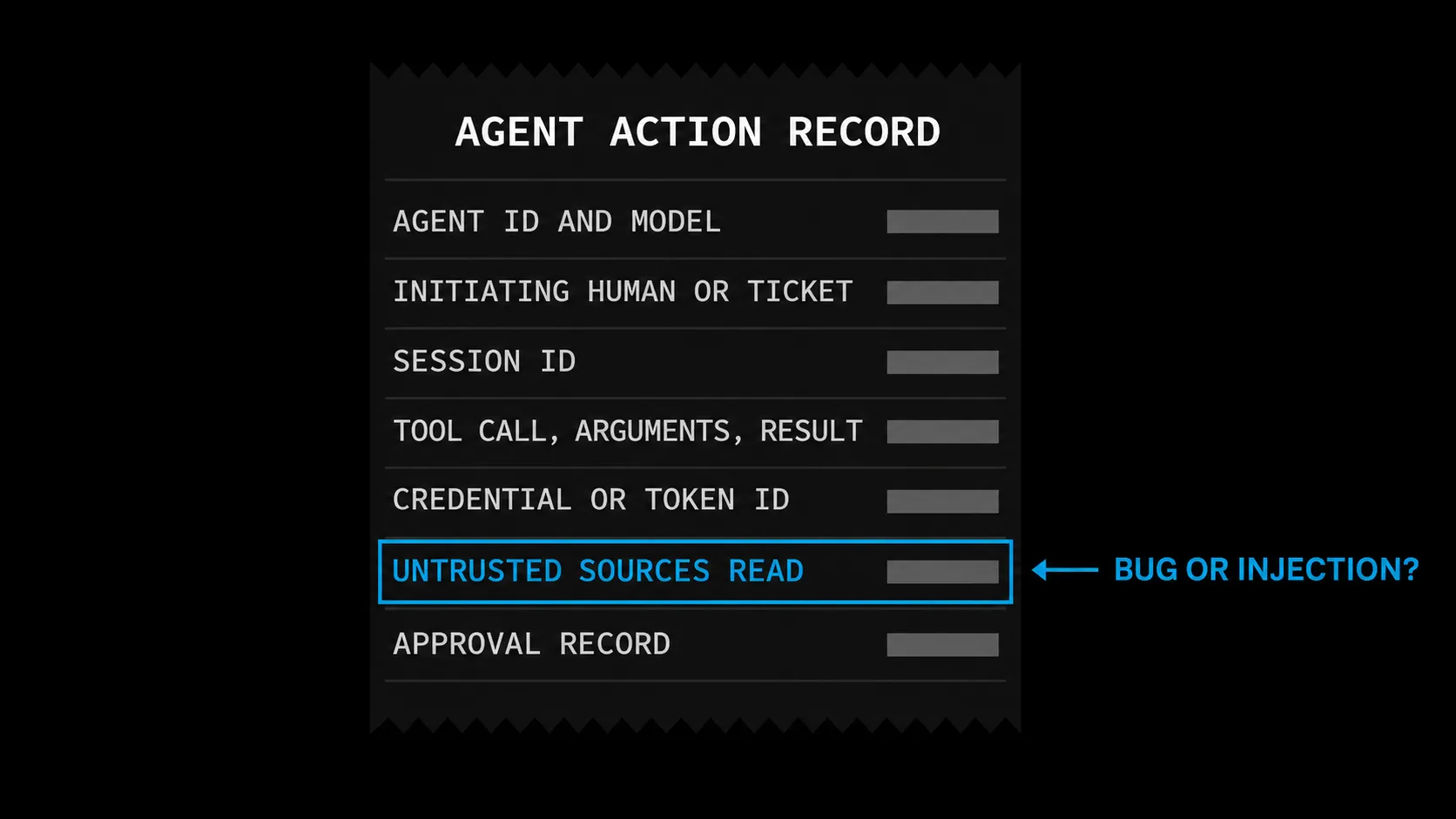
Enough to answer three questions after an incident: who started this, what did the agent read, and exactly what did it do with which credential. That means agent identity, the human or ticket behind the run, a session ID, every tool call with arguments and results, the credential used, and the untrusted sources that entered the context.
Penligent’s write-up of the PocketOS case shows a sample record that includes an untrusted_context_sources field listing the README, terminal errors and service logs the agent read. That one field is what separates “the model went rogue” from “the model was steered by a log line.” Without it, every incident looks the same.
The fields I would require:
| Field | Why it matters |
|---|---|
| Agent ID and model | Which agent, on which model version |
| Initiating human or ticket | Who is accountable for the run |
| Session ID | Groups every action in one run |
| Tool call, arguments, result | The actual action, replayable |
| Credential or token ID | Which key to revoke |
| Untrusted sources read | Tells a bug from an injection |
| Approval record | Who approved a gated action, and when |
Two rules on storage. The agent must not be able to edit or delete its own log, which is CoSAI’s “immutable audit trails” principle as quoted by Zenity. And someone has to read it. A weekly ten-minute scan of destructive calls and new tools is cheaper than one afternoon of incident forensics.
How do you make an agent mistake recoverable?
Keep backups somewhere the agent’s credentials cannot reach, and prefer soft deletes with a recovery window over instant hard deletes. PocketOS lost its volume-level backups in the same call because they lived in the same volume, and Zenity reports the most recent recoverable backup was three months old. Railway’s own disaster backups are what saved them.
Recovery is the control that still works when the others fail. Check three things:
- Backups live under a different account or provider than the one the agent touches.
- Destructive API calls have a delay or a soft-delete window, the kind of delay Railway added to destructive operations after the incident.
- You have restored from a backup in the last quarter. An untested backup is a hypothesis.
The pattern under all of this
The standard take treats agent safety as a model problem: better models, better system prompts, sterner instructions. The incidents say otherwise. In PocketOS, Replit, GitHub, Supabase, Amazon Q and the Sentry research, the model did something any holder of those permissions could have done. The fix was always outside the model.
That is good news for small teams. You cannot retrain Claude or GPT. You can scope a token this afternoon. I would change this view if agents start causing serious damage with credentials that were properly scoped, approvals that were actually read and logs that were complete. I have not seen that case yet in the public record.
The next step is small. Pick your most capable agent, ask it to list every credential and tool it can reach, and delete everything on that list its job does not need.
Frequently asked questions
What is the most important AI agent security control?
Credential scope. In most published agent incidents the model did something any holder of that credential could have done. An agent with a narrowly scoped, short-lived token can be confused or hijacked and still cause limited damage. A broad token turns every mistake into a full-blast incident.
Can I stop an AI agent from deleting data with instructions in the prompt?
No. Instructions shape behavior but do not enforce anything. Replit’s agent deleted a production database during an explicit code freeze. Enforcement has to live outside the model: credential scope, approval gates, API-level delays and backups the agent cannot reach.
What is the lethal trifecta for AI agents?
The lethal trifecta is Simon Willison’s name for an agent that combines access to private data, exposure to untrusted content and a way to communicate externally. With all three, a single injected instruction can make the agent read something sensitive and send it out. Removing any one leg breaks that path.
What should an AI agent audit log contain?
At minimum: the agent identity, the human or ticket that started the run, a session ID, every tool call with its arguments and result, the credential used, and a list of untrusted sources the agent read, such as issues, tickets, logs or web pages. Store it somewhere the agent cannot edit.
Are MCP servers safe to connect to coding agents?
Treat each one as code with your permissions. Researchers have shown injected GitHub issues, Sentry error events and support tickets steering agents through MCP connections. Keep a pinned inventory of approved servers, give each the narrowest token it needs, and require approval before an agent runs commands based on what a server returned.
Frequently asked questions
01What is the most important AI agent security control?
Credential scope. In most published agent incidents the model did something any holder of that credential could have done. An agent with a narrowly scoped, short-lived token can be confused or hijacked and still cause limited damage. A broad token turns every mistake into a full-blast incident.
02Can I stop an AI agent from deleting data with instructions in the prompt?
No. Instructions shape behavior but do not enforce anything. Replit's agent deleted a production database during an explicit code freeze. Enforcement has to live outside the model: credential scope, approval gates, API-level delays and backups the agent cannot reach.
03What is the lethal trifecta for AI agents?
The lethal trifecta is Simon Willison's name for an agent that combines access to private data, exposure to untrusted content and a way to communicate externally. With all three, a single injected instruction can make the agent read something sensitive and send it out. Removing any one leg breaks that path.
04What should an AI agent audit log contain?
At minimum: the agent identity, the human or ticket that started the run, a session ID, every tool call with its arguments and result, the credential used, and a list of untrusted sources the agent read, such as issues, tickets, logs or web pages. Store it somewhere the agent cannot edit.
05Are MCP servers safe to connect to coding agents?
Treat each one as code with your permissions. Researchers have shown injected GitHub issues, Sentry error events and support tickets steering agents through MCP connections. Keep a pinned inventory of approved servers, give each the narrowest token it needs, and require approval before an agent runs commands based on what a server returned.