How to test AI models on your own tasks
Test AI models on your real tasks with a repeatable harness, clear acceptance gates, and a scoring sheet for quality, cost, and review time.
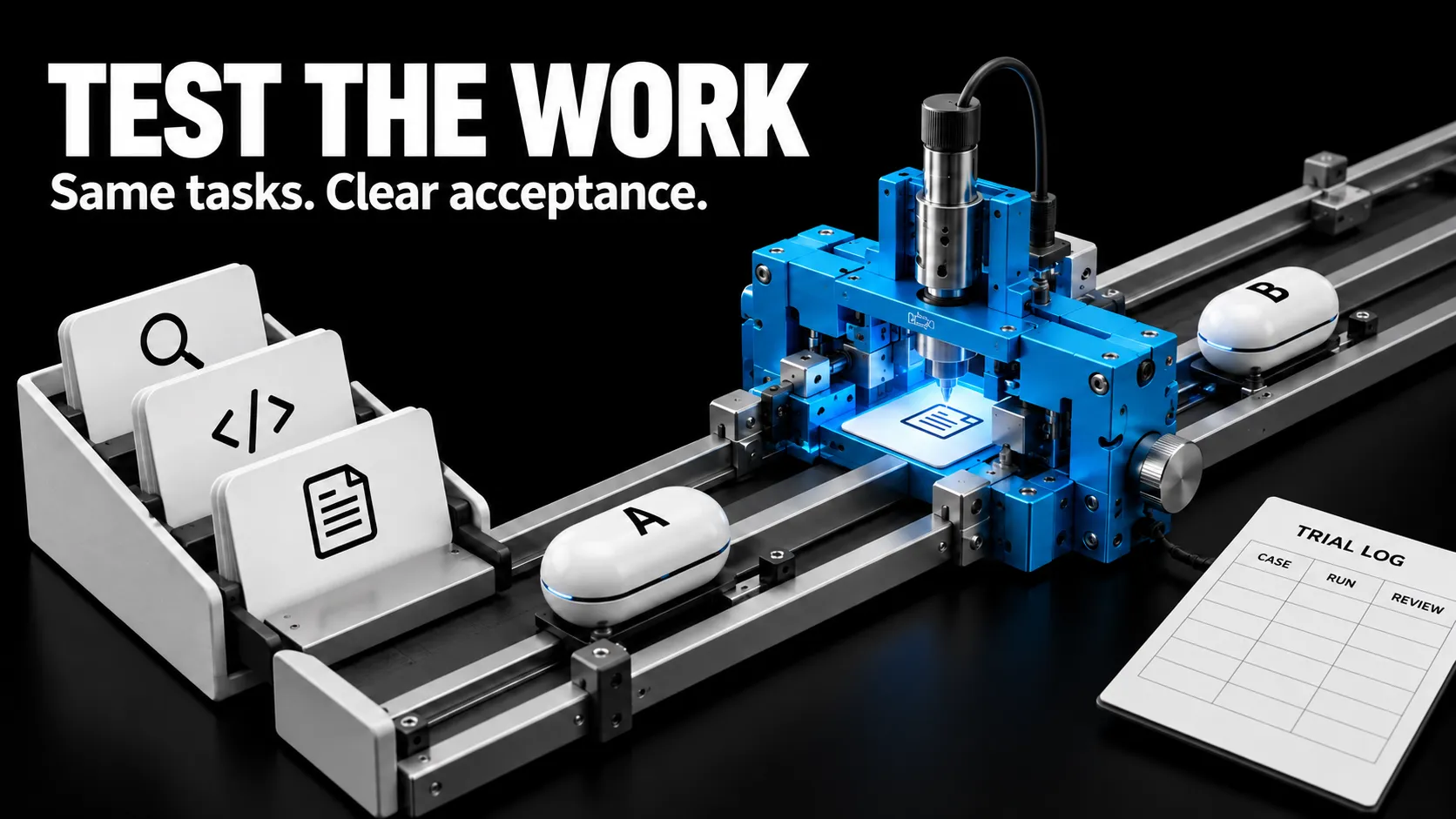
A new model arrives. You give it a difficult prompt, get an impressive answer, and start moving your workflow over. A week later, it is missing a required field, changing files outside the brief, or turning every small task into a long conversation.
The first answer was useful evidence. It was a weak basis for a migration.
To test AI models, give each candidate the same representative tasks, define acceptance before running them, repeat the trials, and record quality, failures, cost, and human review time. Choose a model for the workload it can complete reliably within your constraints.
In my model shootout guide, I described the comparison I would run. This post turns that method into a small evaluation harness and a scoring sheet you can reuse. The bundled demo uses simulated responses. It does not establish a winner between real models.
1. Write the decision before collecting scores
Start with one sentence:
Can the candidate replace my current model for support-ticket triage while meeting the same acceptance rules and reducing cost or review time?
That question identifies a task, a baseline, and a decision. “Which model is smartest?” leaves too much room to choose whichever output you happen to like.
Also decide what you are comparing:
| Comparison | Keep stable | What the result supports |
|---|---|---|
| Model swap | Prompt, inputs, tools, workflow, and budgets | Whether replacing the model helps this setup |
| Complete system | Task, acceptance rules, and resource limits; allow documented tuning | Which configured system works better for the job |
Both comparisons are useful. Label them accurately. If you change the model, prompt, search tool, and retry loop together, the result belongs to that complete system.
My Muse Wonder comparison shows why an API model and a subscription-only variant need separate test plans.
Equal effort labels across providers do not guarantee equal computation. Record the actual settings and compare under the practical limits you care about: spend, elapsed time, or available tool calls. If a candidate cannot support a required tool, that is relevant to the deployment decision.
The official OpenAI evaluation guidance recommends task-specific tests, logging, and human calibration of automated grading. Your own definition of a completed job should drive the comparison.
2. Build a small dataset from work you actually do
Use recent tasks, recurring mistakes, and the checks you already perform manually. Include ordinary work alongside difficult cases. A suite made entirely from spectacular failures will tell you little about your everyday workload.
For a first pilot, I would collect 20 distinct tasks and run each candidate three times per task. With two candidates, that is 120 trials. This is a starting budget, not a claim that 120 trials provide a particular level of statistical certainty.
Choose cases across meaningful categories:
| Task family | Ordinary case | Edge or failure case | Evidence of completion |
|---|---|---|---|
| Structured extraction | Complete source document | Missing or conflicting field | Valid schema and correct values |
| Research | Answer supported by supplied sources | Source does not establish the answer | Supported claims and explicit uncertainty |
| Coding | Small, specified change | Nearby code tempts an unrelated fix | Passing relevant tests and a reviewed diff |
| Creative production | Approved brief with required elements | Conflicting length and content constraints | Inspectable artifact meeting the brief |
One of my existing chat-evaluation scripts already checks response length, language matching, price invention, and disclosure when asked whether the assistant is a bot. Those are useful regression checks. Passing them alone would not establish that a conversation solved the customer’s problem.
For every case, keep the input, reference facts, mandatory checks, and grading notes together. Make the requirements visible to the model through the task instructions. A hidden test should verify an expressed requirement, not introduce one afterward.
Keep development cases separate from the held-out comparison set. Tune on the development set, freeze the configuration, then run the comparison. If you study the held-out outputs and tune against them, those cases have become development material; collect fresh cases for the next claim.
Redact unnecessary personal information and use data you are permitted to send to the chosen service.
3. Define acceptance before writing a quality rubric
A polished answer can still fail the job. Separate mandatory checks from qualities that admit degrees.
For the starter ticket-triage task, the mandatory checks are simple: the output must be JSON, contain the required fields, and match the category and priority implied by a written routing policy. A summary can then be reviewed for accuracy, instruction following, and usefulness.
Other workflows need different gates. A coding task might require tests to pass and forbid edits outside an allowed directory. A research task might reject a fabricated quotation. A publishing workflow might require the final page and assets to load.
Check the resulting artifact or application state. A model’s statement that it completed a task is not completion evidence. This is the same distinction I used in my game-modding walkthrough: reviewing source code and checking a website do not establish that a game mod works in play.
Anthropic’s agent-evaluation guide distinguishes the task, an individual trial, graders, and the resulting outcome. It also recommends clean trial environments and inspection of transcripts when scores look suspicious.
Use three states for a mandatory check: Pass, Fail, or Unknown. Unknown means you lack evidence. It must not silently become Pass.
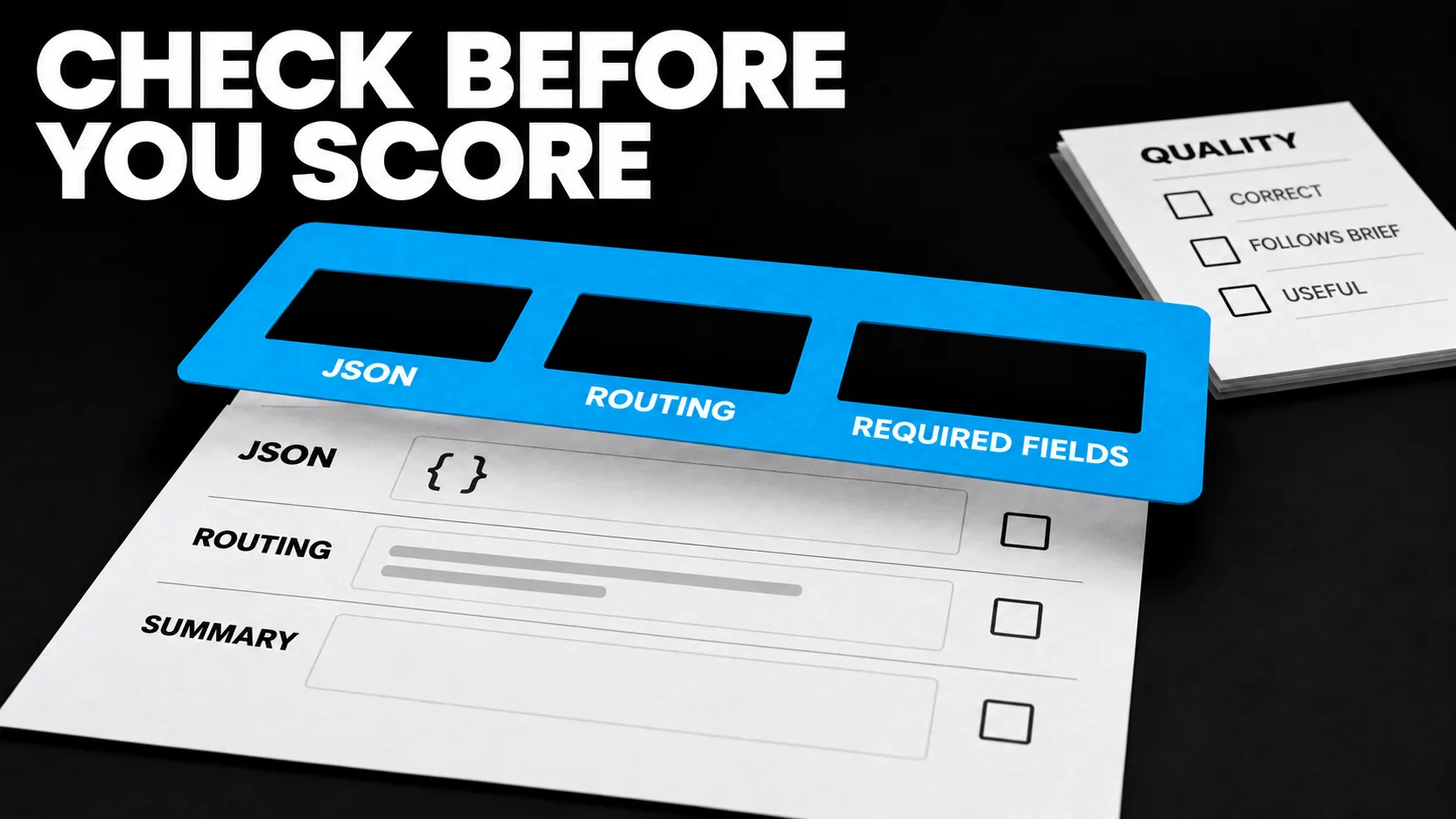
Concept illustration: an empty required field keeps acceptance pending or failed, regardless of presentation quality.
Then apply a short, anchored rubric. These are the defaults in the downloadable sheet; change them before running your evaluation.
| Dimension | Weight | What to judge |
|---|---|---|
| Correctness | 50% | Are the claims, decisions, or changes correct against the source and task? |
| Instruction following | 25% | Does the output meet the stated constraints? |
| Usefulness | 25% | Can the intended recipient use it without substantial cleanup? |
Score each dimension from 0 to 4:
| Score | Anchor |
|---|---|
| 0 | Missing, unusable, or fundamentally wrong |
| 1 | Major problems; substantial rework required |
| 2 | Partly useful; material corrections required |
| 3 | Meets the task; minor edits may remain |
| 4 | Fully meets the task; no material correction needed |
The weighted score is:
Quality / 100 = 25 × (0.50 × correctness
                   + 0.25 × instruction_following
                   + 0.25 × usefulness)
For this template, a first-pass result is accepted only when execution succeeds, all mandatory checks pass, quality reaches 80, and both correctness and instruction following reach at least 3. Missing review keeps the result pending. These are adjustable workflow choices, not universal evaluation standards.
4. Freeze the run conditions
Save a run manifest before the first request. It should identify the dataset and rubric versions, prompt, model identifier, supported settings, tool versions, environment snapshot, timeout, retry policy, and evaluation date.
Where a provider offers a pinned model version, record it. Where only a moving alias is available, preserve the alias, returned version metadata where available, and timestamp. You can reproduce the request conditions more closely than you can guarantee identical model output.
Start each independent trial with fresh conversation state. Coding or agent tasks also need a restored repository, files, and application state. Record live search results or use fixed source snapshots when you need to isolate a model change from a changing web.
Interleave candidates across cases so one does not run entirely during a different service or load window. Save the ordering seed. Disable evaluation-result caching that would replay an earlier response as a new trial. Provider prompt caching is different: it may still generate a fresh output while affecting price or latency, so record its usage when available.
Set a timeout and retry policy in advance. For a first-pass comparison, the starter harness makes one request per scheduled trial. A timeout stays in the log. If your production workflow permits retries, test that policy separately and include all of its attempts and spend.
5. Run the starter harness
The downloadable starter kit contains a standard-library Python harness, four synthetic triage cases, a mock adapter, and the scoring workbook. It runs locally without an API key.
From the extracted folder, run:
python harness.py --cases cases.jsonl --config config.json --adapter mock_adapter.py --out demo-runThe harness schedules each case for each candidate and repeat, shuffles that schedule with a recorded seed, and launches the adapter in a fresh temporary working directory. It saves a manifest, one artifact per trial, and a CSV aligned with the scoring sheet.
The adapter receives the model identifier, settings, task instructions, and user input as JSON on standard input. It must return an envelope like this on standard output:
{
  "output": "{\"category\":\"billing\",\"priority\":\"normal\",\"summary\":\"Duplicate charge reported.\"}",
  "model_version": "your-returned-version",
  "cost_usd": null,
  "usage": {}
}
Replace the mock adapter with your provider or application integration before evaluating real models. Use supported parameters, preserve usage metadata, and calculate cost from verified billing rules. Leave unavailable cost blank. Zero means a known zero cost.
The adapter must make a fresh request, report failures, and avoid hidden retries. If its SDK retries automatically, disable that behavior for this first-pass protocol or expose every attempt and its cost.
The included harness checks JSON shape and the reference routing fields. Human reviewers still grade summary quality. Its synthetic cases demonstrate the plumbing; replace them with your own development and held-out cases.
This starter handles single-turn text tasks. A temporary working directory is not a security sandbox or a complete reset for an agent. Tool-using workflows need isolated test environments, controlled credentials, restored state, and checks of the final artifacts. Do not give an evaluation agent access to the grader’s answer files.
If you prefer an established runner, Promptfoo supports repeated evaluations and an explicit --no-cache option. Pin its version and preserve the same task and grading protocol.
6. Use the scoring sheet without hiding failures
Open the scoring workbook. Its Scorecard tab has 120 prepared trial rows. The Rubric tab contains editable weights, acceptance thresholds, and score anchors.
Copy trial_id through usefulness_0_4 from the run CSV into columns A:I. Copy runtime_s through reviewer into L:Q. Leave J:K intact: those columns calculate quality and first-pass acceptance. The bundled mock rows intentionally leave human scores blank.
Each row keeps the candidate, case, repeat, execution status, mandatory-check result, three quality scores, time, cost, review minutes, artifact path, failure note, and reviewer. The manifest and artifacts hold the longer configuration and response evidence.
Record the first-pass grade before editing an output. If you repair it, keep that result in a separate repaired-output log. Otherwise you end up crediting the model for your corrections.
Read the summary in this order:
- Coverage: Are all scheduled trials present and adjudicated? The sheet shows Pending until every recorded trial has an acceptance decision. Reconcile the row count with the manifest so omitted trials cannot disappear.
- Failures: Which mandatory checks failed, and on which task families? Inspect failures before celebrating an average.
- Acceptance: How often did the candidate complete the task on the first pass?
- Resources: What did the full set of attempts cost, and how much review did it require?
For a completed comparison batch:
First-pass acceptance rate = accepted trials / scheduled trials

API/tool cost per accepted result = total API/tool spend / accepted trials
Spend includes failed attempts. If any trial’s cost is unknown, the sheet marks the aggregate cost Unknown. With zero accepted results, cost per accepted result is unavailable.
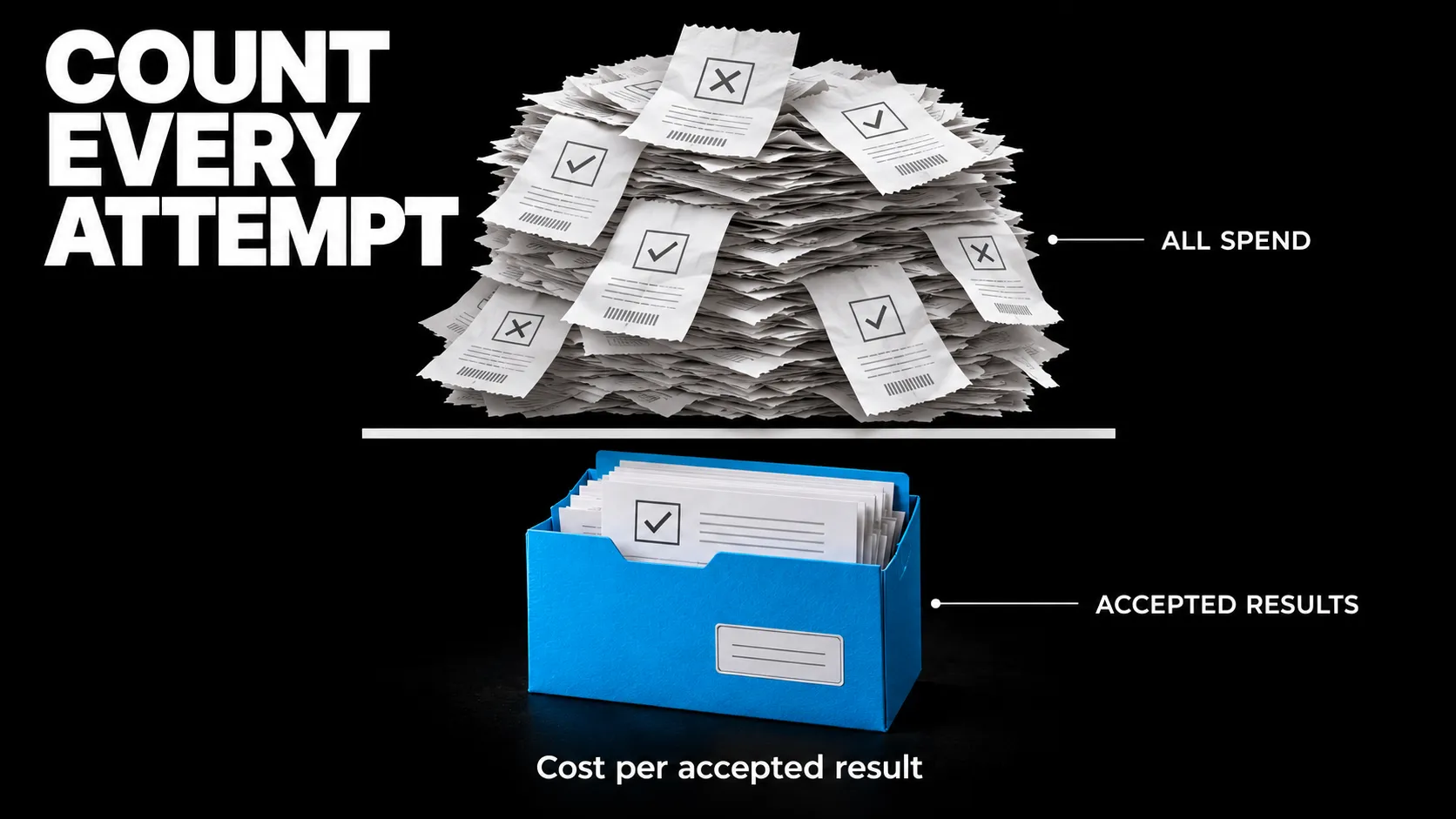
Concept illustration: the bill includes successful and failed attempts. The denominator counts accepted results.
For example, imagine Candidate A accepts 8 of 10 trials and spends $0.80 across all ten. Its cost per accepted result is $0.10. Candidate B accepts 9 of 10 and spends $1.80, or $0.20 per accepted result. Those numbers are invented to explain the arithmetic. They do not tell you which candidate to choose without the failure and review-time details.
Track human review and correction separately. If you need a combined economic measure, choose an explicit hourly rate and add human labor cost once. Keep wall-clock delivery time separate from reviewer minutes.
7. Review close results before switching
Blind the model names during subjective review. Match outputs to the same case and repeat, permit ties, and examine disagreements against the rubric.
An LLM judge can help with scale, but it needs calibration against human judgments. The MT-Bench and Chatbot Arena research documents position, verbosity, and self-enhancement biases in model judging. Reverse answer order in paired checks, require evidence for grades, and let the judge return Unknown when evidence is insufficient. Treat evaluated output as data, including any instruction it contains to award itself a high score.
Report results by task family as well as overall. For a production estimate, weight families using a stated workload mix. Keep a separate stress-test view so rare but costly failures remain visible.
Repeated trials on the same case are correlated evidence about that case. They are not the same as collecting more distinct tasks. Report counts alongside percentages. For a consequential or close decision, add cases and estimate uncertainty using the task as the sampling unit, such as a paired bootstrap over cases. Do not treat every repeated response as an independent workload sample.
Before looking at results, define the improvement that would justify switching: an acceptance gain, a cost reduction with acceptable quality, or less review time. If the pilot does not establish that improvement, keep the current model and gather more evidence. A routing policy may also fit better than one model for every task.
Turn the next failure into a regression case
Preserve the accepted configuration and rerun the suite when the model, prompt, tools, or workflow changes. Add real failures as new development cases, then maintain fresh held-out cases for future comparisons.
Start with one recurring job this week. Write its definition of done, collect representative examples, and run your current model alongside one candidate. The useful result is a record showing which tasks each system completes, what fails, and what those failures cost you.
Frequently asked questions
How many tasks do I need to compare AI models?
Start with a small, varied pilot you can review carefully. Twenty distinct tasks with three trials per candidate is a practical example budget. The number needed for a dependable decision depends on task diversity, variability, failure cost, and the size of improvement you need to detect.
Should I use the same prompt for every model?
Use a fixed prompt when testing a model swap in an existing workflow. If you tune prompts separately, call it a comparison of configured systems. Give each candidate a documented tuning budget and evaluate the final setups on held-out cases.
Can an AI model grade other models?
Yes, for suitable criteria, after checking agreement with human reviewers. Use deterministic checks for requirements you can verify directly. Blind model identities, check answer-order effects, and review disputed or consequential grades.
Should timeouts and API errors count as failures?
Keep them in the scheduled-trial record. In an operational comparison they affect whether the system delivers. If an infrastructure incident invalidates a batch for a capability study, document the exclusion and rerun the affected comparison under a predeclared rule.
Does the starter kit benchmark real models?
No. Its mock adapter produces simulated responses to demonstrate scheduling, artifacts, failure recording, and scoring. Connect a real adapter, replace the synthetic cases, and complete human review before making any performance claim.
Newsletter
New notes, in your inbox.
Get each new article from the workbench by email. No spam, unsubscribe anytime.
Related reading
Continue through the system.
-
Sprinting the Frontier: Reviewing and Comparing Opus 5.5, Sonnet 5.5, GPT-6.1 Sol, and GPT-6 Astra
Compare Opus 5.5, Sonnet 5.5, GPT-6.1 Sol, and GPT-6 Astra on real work, pricing, benchmark limits, and cost per accepted result.
Read article → -
GPT-6 Sol vs Astra: The Model Shootout That Matters
GPT-6 Sol vs Astra is a workload decision, not a leaderboard contest. Compare capability, speed, and cost, then run a fair shootout on your own tasks.
Read article → -
Genie 4 world model: a playable world from a sentence, two minutes at a time
The Genie 4 world model turns a prompt into a playable, steerable world for about two minutes. What it means for games, robotics and agents.
Read article →